



As your production pace increases, a dynamic inline checkweigher like Adam’s new can be the best way to maintain high standards of quality control at speed. What is a dynamic checkweigher and how does it work? We’ll get into the tech.
What is a Dynamic Checkweigher?
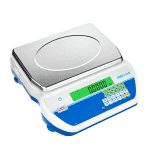
You may already be familiar with static checkweighing scales like Adam’s . With static checkweighing, you set high and low weight limits, then you place a product on the weighing pan. When the scale indicates the product is above, below or within limits, you remove the product and sort it to the correct area. This is a perfectly effective method of quality control for smaller companies that have the time and the manpower, but as production grows, you’ll want to move a bit faster.
Dynamic checkweighers are the answer. Once you set high and lower weight limits, checkweighers like Adam’s Sentinel series checkweigh products dynamically, while in-motion. If the checkweigher identifies that a product is above or below limit, it automatically rejects that product from the line and holds it in a reject collection enclosure. Adam’s Sentinel dynamic checkweighers can check and sort up to 400 products every minute, without human intervention. This means you’ll never have an above or below limit product leave your production process and enter the market.
More importantly, because the checkweighing system is fully automated to check each product you produce, you can reduce how much you’re overfilling or giving away to consumers and be confident that you’re staying within legal requirements.
So, what’s the full process?
How Does a Dynamic Checkweigher Work?
Now that you have a general idea of what a dynamic checkweigher is, let’s take a deeper dive into how it works. Before we start, you should know the basic make-up of a checkweigher system:
Infeed Conveyor
The conveyor that leads units to the checkweighing zone
Checkweigher/Weighing Conveyor
This is the center conveyor of the system. Your product will run across this belt and the load cell beneath will weigh it and compare the weight to your pre-set parameters
Load Cell
A load cell is a precision weight sensor that measures the weight of your product and sends the information to the HMI/Controller
HMI/Controller
The HMI (Human Machine Interface)/Controller is the touchscreen interface where you set your specifications and where you’ll see the item weight, statistics, alarms and reports
Light Tower
The light tower is connected to the HMI/Controller and will light up green, red or yellow depending on the results. This enables you to monitor a line’s performance at a distance
Outfeed Conveyor
The conveyor after the weighing conveyor that leads the product towards and across the reject mechanism
Reject Mechanism
There are multiple kinds of reject mechanisms, including an air blast, pushing arm, diverting arm, retracting belt, etc., that will remove the product from the conveyor should it be determined that it’s above or below your standards.
Photo Eyes
Photo eyes are light transmitters and receivers, or sensors, that are used to detect your object as it passes through their light beam. They’re located at both sides of the weighing conveyor and help the Sentinel learn your product.

1. You set up your specifications
A dynamic checkweigher, despite operating independently most of the time, requires configuration for your products. For example:
The required throughput in pieces per minute
How many pieces do you want to pass through the checkweigher per minute? This lets the checkweigher know how fast the conveyor belt needs to run and how far apart the products need to be spaced to meet your requirements and still have one product on the weighing conveyor at a time. Adam’s Sentinel SPH 300 can checkweigh up to 400 pieces per minute.
The product pitch
The product pitch represents the leading edge to leading edge (or trailing edge to trailing edge) of two items on the conveyor, including the space between them. The product pitch must be large enough to ensure that only one item is in the weighing zone at one time.
The product dynamic calibration
Checkweighers need to be adjusted based on the effects to the product weight as it travels over the conveyor. This dynamic calibration will differ from a static calibration as it has more factors and variables to compensate for, and unlike static weighing it must determine the weight in a fraction of a second. The dynamic calibration variables differ from product to product as the size, shape or speed changes. Adam’s Sentinel series checkweigh performs this dynamic calibration automatically which is then stored against each product.
The nominal weight of the product
What should the item weigh, ideally? Nominal weight is the stated, labeled or intended weight of a product, rather than its exact measured weight. This setting will give your dynamic checkweigher a target reference weight by which to compare all the others against your high and low limits – crucial at high speeds.
Upper and lower deviations
This is how much the nominal weight can deviate before the checkweigher rejects the product as above or below your limits. For example, if your product has a nominal weight of 15 grams, your upper and lower deviations may be one gram each. If a product weighs 14 grams or less, or 16 grams or higher, it will be rejected.
Tare
If you only want to check what’s inside certain packaging, you can set a tare weight. Enter the weight of the packaging – if it will be identical every time – and your checkweigher will automatically deduct that weight from its results.
Your Product Library
You likely have a variety of products that you want to be able to checkweigh, each with their own unique specifications. Luckily, you can set up hundreds of different products in your Sentinel checkweigher, so you can switch products with minimal downtime. Many products can be created by what the Sentinel learns about your product as it’s set-up, rather than by what you enter manually. For example, the checkweigher automatically determines the length of the product during the set-up process. The item is passed across the weighing conveyor 10 times and the photo eyes can determine the length of the product and the dynamic weight. It stores that information so it will always remember the lengths of each product.
So, you see, you’re still an important part of the equation! It’s only once all these parameters are set that you can let the dynamic checkweigher do the rest of the work.
2. The product enters the checkweigher
Dynamic checkweighers are designed to fit perfectly into already existing production lines to act as a check before the next stage or the end of production. After your product, let’s say bottles of lemonade, have been filled up in the previous stage, they would pass from the regular conveyor belt onto the checkweigher’s dedicated infeed conveyor.
If a product is not very stable, like cosmetic lipstick tubes or bottles, you may have the option to add lateral guides or side grip conveyors to the infeed conveyor so that the product goes through in the exact same location every time and is as stable as possible while in motion.
3. The product reaches the weighing conveyor and the weight is compared with preset limits
The infeed conveyor leads the bottles of lemonade to the weighing conveyor, or the checkweigher, is where the product will pass over the load cell. Because the product is moving at the time, it compares the weight to the nominal value that you’ve set and quickly determines if the weight falls between pre-set weight parameters.
4. The product is accepted or rejected
The product then moves beyond the checkweigher and on to the outfeed conveyor, where the control system will signal the rejection system to let it pass through unimpeded or reject it from the production line.
5. The product is removed or altered
You have your choice of what happens to the product after it’s been rejected. Those that are just slightly too heavy or too light could be diverted to another line, where they would be reworked with the intention of going through the same process again, or the product could be discarded.
Adam’s Sentinel SFC Combi Checkweighers and Metal Detectors are used for products that require a foreign body detection – you don’t want a customer to find metal fragments in their granola. Products that have been detected to have been contaminated with metal are rejected from the production line permanently.
This simple infographic outlines the basic steps:

What Happens to Your Weighing Data?
Adam’s Sentinel Dynamic Checkweighers can be relied on to store up to 10,000,000-piece weights in their memory. To put this into perspective, if you’re operating at 400 pieces per minute, it would take 416 hours, or about 17 days, of continuous operation to checkweigh 10,000,000 pieces. For Adam’s heavy-duty Sentinel SHD models, which can operate at speeds up to 85ppm, it would take over 81 days of running 24/7 to weigh 10 million pieces. The data doesn’t disappear, but what can you do with it all?
Storing and tracking data is a requirement for many industries and, in some cases, a legal one. Spotting trends that could indicate a production process or quality control issue, potentially leading to a product recall in the most serious circumstances. Sentinel dynamic checkweighers perform statistical analysis on your data in real time, track alarms, errors, develop charts demonstrating the standard deviation of items going through the line and more. In the pharmaceutical industry, it’s part of Good Manufacturing Practice standards to store the data, including the date and time it was collected. Check your compliance standards!
Where Are Dynamic Checkweighers Used?
Dynamic checkweighers find a lot of use in the following industries:
- Pharmaceutical
- Food production
- Cosmetics
- Logistics/Shipping (mainly for sorting/labelling, rather than rejecting)
- Agriculture/Pesticides
Essentially, any industry where product weight matters - and that's a lot of them!
Choosing the Right Dynamic Checkweigher
Adam’s Sentinel series consists of nine customizable models, each one ideal for different situations. There’s a lot of consideration that should go into choosing the best dynamic checkweigher for your needs. What it really comes down to are five questions:
(1) What products will you be checkweighing?
(2) What accuracy and throughput does your production line require?
(3) How will the checkweigher fit into your existing production line?
(4) What hygiene or compliance requirements must the system meet?
(5) What data, controls and automation features do you need?
Luckily, we’ve already discussed these questions and why they’re necessary in a recent blog: How to Buy Dynamic Checkweighers: 5 Questions to Ask. Check it out!
Need help deciding on which Sentinel dynamic checkweigher is right for you? Adam is the answer, contact our team here.